

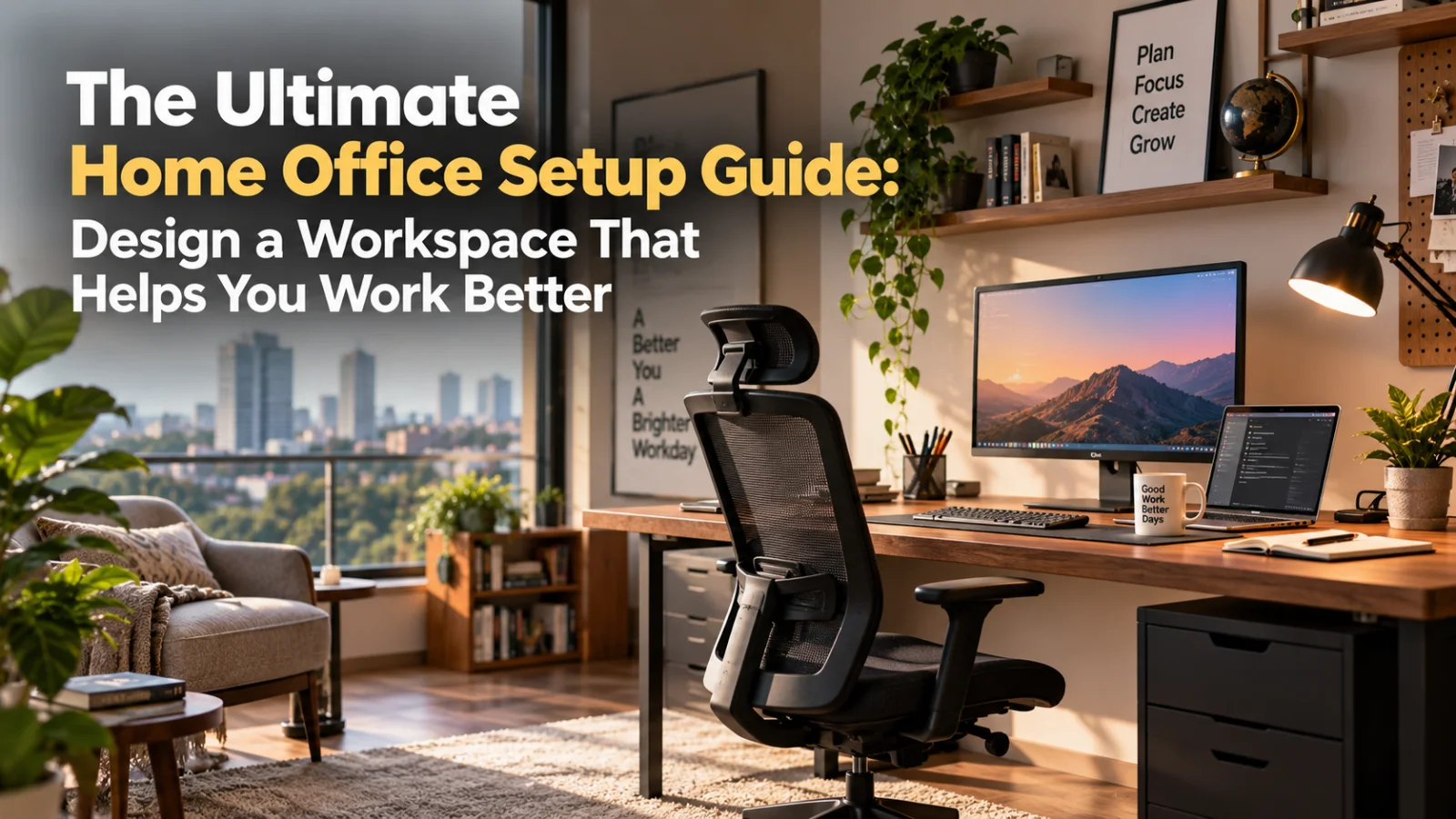
The Ultimate Home Office Setup Guide: Design a Workspace That Helps You Work Better

Devesh S. is an industry researcher and writer who specializes in translating complex industries into clear, trustworthy, and actionable knowledge. His work…
Summary
Create a productive and comfortable workspace with this ultimate home office setup guide covering layout, furniture, lighting, ergonomics, storage, and more. A good home office setup does more than provide a desk and chair. It creates an environment where you can focus, stay comfortable, organise your work, and separate professional life from the rest of your home. That matters more than many people realise. An uncomfortable chair can affect posture. Poor lighting can lead to eye strain. Even a beautifully designed workspace can fail if there are not enough power points, storage areas, or acoustic considerations.
Published on
Inline Intelligence
A good home office setup does more than provide a desk and chair. It creates an environment where you can focus, stay comfortable, organise your work, and separate professional life from the rest of your home.
That matters more than many people realise.
An uncomfortable chair can affect posture. Poor lighting can lead to eye strain. A badly planned desk can make everyday tasks frustrating. Even a beautifully designed workspace can fail if there are not enough power points, storage areas, or acoustic considerations.
The best home office setup balances five things:
- Comfort
- Functionality
- Productivity
- Technology
- Visual harmony
Whether you have an entire room available or only a corner in your bedroom or living area, thoughtful planning can turn almost any available space into a practical workspace.
This guide explains how to plan your home office design from the ground up, including space selection, furniture, ergonomics, lighting, storage, technology, colours, acoustics, and common mistakes to avoid.
Problem Statement: Why Do So Many Home Offices Fail?
Many people create a workspace by placing a desk wherever there is empty space and adding a chair later.
It works temporarily. But over time, problems start to appear.
You may find yourself working with cables scattered across the floor, struggling to take video calls because of poor lighting, or experiencing discomfort after sitting for several hours.
The issue is usually not the size of the room. It is the lack of planning.
A successful home office design considers how you actually work.
For example:
- Do you spend most of your day on video calls?
- Do you use one monitor or multiple screens?
- Do you need physical files and documents?
- Do you frequently meet clients online?
- Do you work with sketches, samples, books, or equipment?
- Do you share your workspace with another family member?
- Do you need silence to concentrate?
Your answers should shape your home office setup.
Design should follow function—not the other way around.
Table of Contents
- What Makes a Good Home Office Setup?
- How to Choose the Right Location
- Planning Your Home Office Layout
- Choosing the Right Desk
- Selecting an Ergonomic Chair
- Home Office Lighting Essentials
- Monitor and Screen Positioning
- Storage and Organisation
- Power, Technology, and Cable Planning
- Designing a Small Home Office
- Colours and Materials for a Productive Workspace
- Improving Acoustics and Privacy
- Comparison Table: Different Home Office Setup Options
- Featured Snippet: The Ideal Home Office Setup
- Home Office Setup Checklist
- Expert Tips for Better Workspace Design
- Common Mistakes to Avoid
- Frequently Asked Questions
- Conclusion
What Makes a Good Home Office Setup?
A good home office setup supports the way you work without creating unnecessary physical or mental distractions.
At its core, a workspace should allow you to:
- Sit comfortably for long periods
- Keep essential tools within easy reach
- See your screen clearly
- Control glare and lighting
- Organise documents and accessories
- Access power without clutter
- Participate in video calls comfortably
- Separate work from personal life when possible
The most effective workspaces often look simple because the planning behind them is doing the hard work.
The Five Zones of a Functional Home Office
A well-planned workspace can be divided into five practical zones.
1. Work Zone
This includes your desk, monitor, keyboard, laptop, and primary work tools.
Everything you use frequently should be accessible without repeatedly standing up or stretching.
2. Storage Zone
This may include drawers, cabinets, shelves, filing systems, or closed storage.
The right storage solution depends on how much physical material your work requires.
3. Technology Zone
Power outlets, charging points, routers, printers, monitors, and cable management belong in this planning stage.
Technology should be integrated into the design rather than added as an afterthought.
4. Communication Zone
If you regularly attend video meetings, consider what appears behind you on camera.
A clean wall, bookshelf, artwork, or subtle background can work well. Avoid placing distracting elements directly behind your chair.
5. Comfort Zone
This includes lighting, ventilation, temperature, seating comfort, and even small details such as a footrest or side table.
A workspace should support sustained work—not just look good in photographs.
How Do You Choose the Right Location for a Home Office?
The best location depends on your work style and the available space in your home.
A dedicated room is ideal, but it is not essential.
Dedicated Room
A separate room offers the clearest boundary between work and personal life.
It is particularly useful if you:
- Attend frequent meetings
- Need privacy
- Work with confidential information
- Share your home with family members
- Require multiple monitors or equipment
A dedicated room also gives you greater freedom with storage and furniture placement.
Bedroom Workspace
A bedroom office can work well when space is limited.
However, the desk should not dominate the room. If possible, create a visual distinction between the work area and sleeping area.
Use:
- A compact desk
- Vertical shelving
- Closed storage
- Warm lighting for the bedroom
- Task lighting for the workspace
The goal is to avoid making your bedroom feel like an office throughout the day.
Living Room Workspace
A living room workstation requires furniture that blends into the overall interior.
Consider:
- Wall-mounted desks
- Foldable desks
- Compact writing tables
- Cabinets that conceal office equipment
- Decorative storage solutions
This approach works particularly well for people who do not work from home every day.
Underused Corners
A quiet corner can often become an efficient workspace.
Look for:
- Space near a window
- An unused wall
- A niche
- Space under a staircase
- An oversized passage area
- A corner of a larger room
Before committing to the location, check for natural light, electrical access, ventilation, and noise levels.
How Should You Plan Your Home Office Setup Layout?
Start with movement.
You should be able to sit down, stand up, open drawers, access storage, and move around comfortably.
A cramped workspace quickly becomes frustrating.
Measure Before Buying Furniture
One of the most common mistakes is buying furniture before measuring the room.
Before selecting a desk, record:
- Wall length
- Available floor depth
- Window locations
- Door swing direction
- Electrical points
- Existing furniture
- Storage requirements
Even a simple floor plan can prevent expensive mistakes.
Position Your Desk Carefully
Desk placement affects lighting, screen visibility, and comfort.
Avoid placing your monitor directly in front of a bright window. The contrast between the screen and outdoor light can create glare and visual discomfort.
A desk positioned perpendicular to a window often provides more balanced natural light.
If your workspace faces a wall, consider adding a visually calming element such as artwork, a pinboard, or a small shelf.
How Do You Choose the Right Desk?
Your desk should be selected based on your actual work requirements.
A laptop-only user does not need the same desk as someone working with two monitors, documents, and specialised equipment.
Standard Desk
Best for:
- Laptop users
- Students
- Administrative work
- Compact spaces
A standard desk is usually the most versatile choice.
L-Shaped Desk
Best for:
- Multiple monitors
- Frequent paperwork
- Designers and consultants
- People who need separate work surfaces
An L-shaped desk creates more surface area without requiring an extremely long wall.
Wall-Mounted Desk
Best for:
- Small homes
- Occasional remote work
- Compact rooms
A wall-mounted desk can save floor space and create a clean appearance.
Height-Adjustable Desk
Best for:
- Long working hours
- People who prefer changing positions
- Ergonomic flexibility
Standing desks can be useful, but they are not automatically better. Alternating between sitting and standing is generally more practical than standing continuously.
Custom-Built Desk
Best for:
- Unusual room dimensions
- Integrated storage
- Premium interior design
- Multi-purpose spaces
Custom furniture allows the workspace to fit the room rather than forcing the room to accommodate standard furniture.
This is where professional interior planning becomes valuable. A well-designed custom workstation can integrate storage, electrical planning, lighting, and surrounding furniture into one cohesive solution.
Why Is an Ergonomic Chair So Important?
Your chair is one of the most important investments in your home office setup.
A visually attractive chair may not provide the support required for several hours of work.
Look for:
- Adjustable seat height
- Lumbar support
- Adjustable armrests
- Comfortable seat depth
- Stable base
- Breathable material
The chair should allow your feet to rest comfortably on the floor or on a footrest.
Your knees should generally remain at a comfortable angle, while your shoulders should stay relaxed rather than raised.
Do You Need Armrests?
Armrests can reduce strain when properly adjusted.
However, poorly positioned armrests can prevent you from sitting close enough to your desk.
The ideal setup allows your elbows to rest comfortably while keeping your shoulders relaxed.
How Should You Position Your Monitor?
Monitor placement has a major effect on neck comfort.
The screen should generally be positioned directly in front of you rather than far to one side.
The top portion of the screen should sit around eye level or slightly below, depending on personal comfort and screen size.
Avoid constantly looking down at a laptop.
If you primarily work from a laptop, consider:
- A laptop stand
- An external keyboard
- An external mouse
This allows you to raise the screen while maintaining a comfortable typing position.
Multiple Monitor Setup
If you use two monitors equally, place them close together.
If one monitor is your primary screen, position that monitor directly in front of you and keep the secondary monitor slightly to the side.
The goal is to minimise repeated neck rotation.
How Important Is Lighting in Home Office Design?
Lighting can significantly affect comfort, concentration, and the overall appearance of your workspace.
The ideal home office uses layers of light.
Natural Light
Natural light can make a workspace feel more pleasant and visually open.
However, uncontrolled sunlight can create glare and heat.
Use:
- Curtains
- Blinds
- Sheer fabrics
- Adjustable window treatments
These allow you to manage daylight throughout the day.
Ambient Lighting
Ambient lighting provides general illumination for the room.
Ceiling lights, recessed lights, or indirect lighting can serve this purpose.
Avoid relying entirely on one harsh overhead light.
Task Lighting
A desk lamp provides focused illumination for reading, writing, and detailed work.
Choose an adjustable lamp so you can direct light where needed.
For right-handed users, placing the light toward the left can reduce shadows while writing. Left-handed users may prefer the opposite arrangement.
Video Call Lighting
If you regularly participate in video meetings, avoid sitting with a bright window directly behind you.
A light source in front of you or slightly to one side usually provides a clearer appearance.
What Is the Best Lighting Temperature for a Home Office?
There is no single answer for every workspace.
Neutral to cool-white lighting is often preferred for task-oriented areas, while warmer lighting can make the surrounding room feel more comfortable.
The key is consistency.
Mixing dramatically different light colours in one small workspace can feel visually uncomfortable.
Consider your overall interior design palette before finalising the lighting scheme.
How Much Storage Does a Home Office Need?
Storage requirements vary widely.
Some professionals work entirely digitally. Others need books, samples, files, documents, or equipment.
The best approach is to plan storage based on frequency of use.
Keep Daily Items Within Reach
Items used every day should be easy to access.
These may include:
- Chargers
- Notebooks
- Headphones
- Stationery
- Frequently used files
Store Occasional Items Separately
Less frequently used items can go into:
- Upper cabinets
- Closed drawers
- Wall shelves
- Storage boxes
Open vs Closed Storage
| Storage Type | Best For | Advantage | Limitation |
|---|---|---|---|
| Open shelves | Books and decorative items | Easy access | Can appear cluttered |
| Closed cabinets | Files and equipment | Cleaner appearance | Requires more planning |
| Drawers | Small accessories | Highly organised | Limited capacity |
| Vertical storage | Compact spaces | Saves floor area | May require wall installation |
| Mobile storage | Flexible workspaces | Can move easily | May occupy floor space |
A combination of open and closed storage often works best.
Open shelving can add personality, while closed cabinets hide visual clutter.
How Should You Plan Power Points and Technology?
Technology planning should happen before furniture installation whenever possible.
A beautiful workspace can quickly become inconvenient if every device requires an extension cable.
Plan for:
- Laptop charging
- Monitor power
- Phone charging
- Desk lamp
- Printer
- Router or network equipment
- Additional accessories
Think About Future Requirements
Even if you only use a laptop today, your requirements may change.
Adding one or two extra electrical points during planning can provide flexibility later.
Cable Management Matters
Visible cables can make even a premium workspace look unfinished.
Consider:
- Cable trays
- Desk grommets
- Cable sleeves
- Under-desk organisers
- Integrated charging drawers
The goal is not necessarily to hide every cable. It is to make the system organised and easy to maintain.
A professionally managed interior project can help coordinate electrical points, furniture dimensions, and technology requirements before installation begins. This is especially useful when multiple specialists are involved in the execution process.
TatvaOps approaches this type of coordination through structured project planning, where requirements, scope, and milestones can be documented before work progresses.
How Can You Create a Small Home Office Setup?
Limited space does not mean limited productivity.
Small spaces simply require better planning.
Use Vertical Space
Walls can provide valuable storage.
Consider:
- Floating shelves
- Wall cabinets
- Pegboards
- Vertical bookcases
Choose Furniture With Multiple Functions
A compact cabinet may work as:
- Printer storage
- File storage
- A side table
- A display surface
Avoid Oversized Furniture
Large executive desks can overwhelm small rooms.
A slim desk with efficient storage may provide better functionality.
Keep the Visual Palette Simple
Too many colours, patterns, and materials can make a compact workspace feel crowded.
A simple palette can make the room feel more spacious.
Small Home Office Ideas That Actually Work
Here are practical ideas for compact spaces:
The Wall Office
Install a slim desk against an unused wall and add shelving above it.
The Wardrobe Office
A large wardrobe or cabinet can sometimes be adapted to conceal a compact workstation when not in use.
The Window Workspace
A desk near a window can feel open and pleasant, provided glare is controlled.
The Corner Office
A corner desk or custom-built workstation can make efficient use of an otherwise unused area.
The Dual-Purpose Room
A guest room, study, or family room can include a workspace if the furniture and storage are planned carefully.
The key is to define the workspace clearly, even if it occupies only a small footprint.
What Colours Work Best for a Home Office?
Colour influences the visual atmosphere of a room.
The best colour depends on the type of work you do and the overall design of your home.
Neutral Colours
Shades such as beige, grey, off-white, and muted earthy tones create a calm background.
They work well for:
- Professional video calls
- Minimalist interiors
- Small spaces
- Flexible future redesigns
Green Tones
Muted greens can introduce a natural and calming visual element.
They work particularly well when paired with wood finishes.
Blue Tones
Soft blue shades can create a composed, focused atmosphere.
Avoid excessively saturated colours in small workspaces unless you are intentionally creating a bold design statement.
Accent Colours
Accent colours can be introduced through:
- Chairs
- Artwork
- Rugs
- Accessories
- Storage elements
This provides flexibility without permanently committing the entire room to a strong colour.
Which Materials Are Best for Home Office Furniture?
Material selection should consider durability, maintenance, appearance, and budget.
Engineered Wood
Commonly used for modular furniture.
Advantages include:
- Consistent finish
- Design flexibility
- Efficient production
Quality can vary significantly depending on the board, finish, edge treatment, and hardware used.
Solid Wood
Offers a distinctive appearance and long-term durability when properly maintained.
However, it may require a larger budget and more maintenance depending on the finish.
Metal
Often used for:
- Desk frames
- Shelving
- Industrial-style interiors
Metal can provide strength and a contemporary look.
Glass
Glass desks can create a visually light appearance.
However, they may show fingerprints and reflections more easily.
For homeowners planning custom furniture, material decisions should be documented clearly. The exact board, finish, hardware, and surface treatment can affect both cost and long-term performance.
TatvaOps can support this kind of decision-making through structured scope and material discussions before execution, helping homeowners compare options rather than relying only on informal verbal commitments.
How Can You Improve Acoustics and Privacy?
Noise can be one of the biggest productivity challenges in a home.
You do not necessarily need professional acoustic treatment to improve the situation.
Start With Soft Surfaces
Soft materials can reduce sound reflections.
Consider:
- Rugs
- Curtains
- Upholstered furniture
- Fabric panels
Seal Gaps Where Possible
Noise often travels through gaps around doors and windows.
Simple improvements to door seals can make a noticeable difference.
Position Your Desk Strategically
Avoid placing your workstation directly beside:
- Televisions
- Busy entrances
- Kitchen activity
- Frequently used doors
Consider Privacy During Video Calls
If privacy is important, think about:
- Door placement
- Background visibility
- Screen positioning
- Sound transmission
For homes where remote work is a daily requirement, acoustic planning should be considered early in the interior design process rather than treated as a problem after the room is complete.
Home Office Setup Comparison: Which Option Is Right for You?
| Setup Type | Best For | Space Requirement | Storage Potential | Flexibility |
|---|---|---|---|---|
| Dedicated office room | Full-time remote work | High | High | High |
| Bedroom workspace | Limited homes | Low to medium | Medium | Medium |
| Living room workspace | Occasional work | Low | Low to medium | High |
| Corner workstation | Compact homes | Low | Medium | Medium |
| Custom-built office | Specific requirements | Varies | High | High |
| Standing desk setup | Flexible work posture | Medium | Medium | High |
There is no universally perfect option.
The best home office setup is the one that matches your work habits and fits naturally into your home.
Featured Snippet: What Is the Ideal Home Office Setup?
The ideal home office setup includes an ergonomic chair, appropriately sized desk, comfortable monitor height, layered lighting, organised storage, accessible power points, and minimal distractions. The best layout depends on your available space and daily work requirements.
How Can Interior Design Improve Your Home Workspace?
Interior design is not only about selecting furniture and colours.
Good planning brings multiple elements together.
For a home office, that may include:
- Space planning
- Furniture design
- Electrical planning
- Lighting design
- Storage planning
- Material selection
- Acoustic considerations
- Technology integration
A workspace designed independently from the rest of the home can sometimes feel disconnected.
Professional planning can help create continuity between your workspace and surrounding interiors while still giving the office its own identity.
This is particularly useful for homeowners undertaking a larger renovation or furnishing project.
TatvaOps interior design brings structure to the execution process by connecting homeowners with verified, background-checked professionals and allowing project requirements to be compared before a final commitment is made.
That structure matters because a home office often involves multiple decisions that need to work together—from furniture dimensions to lighting and electrical placement.
Home Office Setup Checklist
Before finalising your workspace, use this checklist.
Space Planning
- Have I measured the available space?
- Can doors and drawers open comfortably?
- Is there enough room to move around?
- Have I considered natural light?
Furniture
- Is my desk large enough for my daily work?
- Is my chair adjustable and comfortable?
- Do I have enough storage?
- Is the furniture proportionate to the room?
Ergonomics
- Is my monitor positioned comfortably?
- Can I type without raising my shoulders?
- Are my feet supported?
- Can I maintain a comfortable posture?
Lighting
- Is there glare on my screen?
- Do I have task lighting?
- Is the room evenly illuminated?
- Does my video-call lighting work?
Technology
- Do I have enough power points?
- Are cables organised?
- Is internet equipment positioned properly?
- Have I planned for future devices?
Storage
- Are daily items easily accessible?
- Are unnecessary items hidden away?
- Is there enough storage for future needs?
Expert Tips for Designing a Better Home Office
1. Design for Your Actual Workday
Do not copy a workspace simply because it looks impressive online.
Think about how you spend eight hours in the space.
Your workflow matters more than a trend.
2. Invest More in Ergonomics Than Decoration
A comfortable chair and properly positioned screen will usually have a greater effect on your daily experience than expensive decorative accessories.
3. Plan Storage Before Clutter Appears
Most home offices start neat.
The problem develops when equipment, documents, and accessories gradually accumulate.
Plan for storage from the beginning.
4. Use Layers of Lighting
Natural light, ambient light, and task lighting should work together.
Avoid creating a workspace that depends entirely on one harsh light source.
5. Leave Room for Change
Your work requirements may evolve.
A flexible workspace is easier to adapt than one designed around a single temporary need.
6. Document Custom Requirements Clearly
For custom furniture or renovation work, vague instructions can lead to misunderstandings.
Dimensions, materials, finishes, hardware, and scope should be discussed clearly before execution.
TatvaOps project management focuses on bringing more structure to these decisions by defining scope and milestones upfront, helping homeowners track what is being delivered at each stage.
Common Home Office Setup Mistakes to Avoid
Buying Furniture Before Measuring
This can result in blocked walkways, oversized desks, or storage that does not fit.
Measure first.
Choosing Style Over Comfort
A beautiful chair that causes discomfort is not a good office chair.
Prioritise ergonomics.
Ignoring Electrical Planning
Extension cords and overloaded power strips can create clutter and inconvenience.
Plan power access early.
Placing the Monitor Too Low
Constantly looking downward can create unnecessary neck strain.
Raise the screen to a more comfortable position.
Working in Poor Lighting
Dim spaces and screen glare can affect visual comfort.
Use layered lighting instead.
Forgetting About Storage
A workspace without enough storage often becomes cluttered within weeks.
Copying Someone Else's Setup Exactly
Your work style, space, equipment, and habits may be completely different.
Use inspiration, but design for yourself.
Making Changes Without Updating the Scope
During a larger interior project, small changes can add up.
Material upgrades, additional storage, and revised layouts should be clearly documented.
Structured systems such as TatvaOps AI project tracking can help homeowners maintain visibility into project activity and progress through regular monitored updates and recorded project information.
Frequently Asked Questions
What is essential for a good home office setup?
The essentials include a comfortable chair, appropriately sized desk, proper monitor positioning, good lighting, reliable power access, and organised storage. The exact setup depends on the type of work you do.
How much space do I need for a home office?
A functional workspace can fit into a relatively small area if furniture is selected carefully. The required space depends on your desk size, equipment, storage needs, and whether the office is used full-time.
Should my desk face a window?
Not necessarily. A desk positioned perpendicular to a window often helps reduce screen glare while still allowing natural light into the workspace.
Is a standing desk necessary for a home office?
No. A standing desk can provide flexibility, but it is not essential. A comfortable sitting position and the ability to change posture throughout the day are more important.
How can I create a home office in a small apartment?
Use vertical storage, compact furniture, wall-mounted desks, and multi-functional pieces. Keep the colour palette simple and avoid oversized furniture.
What is the best chair for working from home?
Look for an adjustable chair with appropriate lumbar support, comfortable seat depth, and adjustable armrests. The best chair depends on your body dimensions and working habits.
How can I reduce noise in my home office?
Use rugs, curtains, upholstered furniture, and other soft materials to reduce sound reflections. Also consider desk placement and reduce gaps around doors where practical.
Should I use custom furniture for my home office?
Custom furniture can be useful when you have unusual room dimensions, specific storage requirements, or want the workspace to integrate seamlessly with the rest of your interiors.
Conclusion
The ultimate home office setup is not defined by expensive furniture, multiple monitors, or a large dedicated room.
It is defined by thoughtful planning.
A productive workspace should support your daily routine, protect your physical comfort, reduce distractions, and make essential tools easy to access.
Start by choosing the right location. Measure the space carefully. Select furniture based on your actual work requirements. Pay attention to ergonomics, lighting, storage, technology, and acoustics.
Most importantly, design your workspace for the way you work—not simply for the way an office looks.
If your home office is part of a larger renovation or interior project, coordinate every decision early. Desk dimensions, storage, electrical points, lighting, and materials should work together rather than being handled as isolated decisions.
Vantage is built around useful home and interior knowledge that helps homeowners make more informed decisions before committing time and money to a project. A well-planned workspace is one of those investments that can improve everyday life long after the furniture is installed.
A Soft Recommendation
If you're planning a complete home office or wider home interior project and are looking for an interior designer in Bangalore, a structured platform like TatvaOps can help bring greater clarity to the process. With verified professionals, upfront scope and milestone planning, homeowner-approved payments, and AI-monitored progress updates, TatvaOps offers a more transparent way to manage interior execution while helping homeowners stay involved in important project decisions.

From TatvaOps
Commercial Interiors
Planning your interiors?
Get verified designers, fixed scope, and milestone-secured payments on TatvaOps.
Free quotes · Verified contractors · tatvaops.com
Discuss this article
Join the conversation
Continue this discussion on Forums. A board named like this InSights article is filed under InSights.
More from Interior Design
How a Modular Kitchen Is Actually Manufactured?
Learn how a modular kitchen is manufactured, from design and cutting to edge banding, assembly, quality checks, delivery and installation.
MDF vs HDHMR vs Plywood: Which One Should You Choose for Your Home Interiors?
Compare MDF, HDHMR and plywood for interior design for home bangalore. Understand durability, moisture resistance, finishes, cost and where each works best.
Interior Design Is Not Interior Execution: What Happens Between the Design and the Final Room
Understand what happens after an interior design is approved, from drawings and materials to site execution, quality checks, timelines, and final handover.
Inline Intelligence
Key Insight Actions
Connected knowledge for Home Office Design
Move between tutorials, discussions, Studio, and hubs without losing context.
Related discussions
Topic hubs
Conclusion Intelligence
Related Discussions
Was this helpful?
Let us know what you think